Frontend Documentation

Support Team
Codegen7.devIntroduction
The frontend of The Hub E-Commerce Platform is more than just a user interface — it is the first impression your customers will have of your store. In today’s digital economy, speed, reliability, and usability define whether a user stays or leaves. That’s why the project embraces Angular 16 as the framework of choice.
Angular offers a component-driven architecture that scales gracefully from small shops to enterprise-level e-commerce platforms. It enforces consistency, improves maintainability, and comes with built-in solutions for routing, forms, and state management. Instead of reinventing the wheel, you build on a framework trusted by Google and developers worldwide.
Choosing Angular also means you can deliver a seamless user experience across desktop and mobile. With features like Ahead-of-Time compilation, lazy loading, and reactive forms, your storefront is optimized for performance from day one. Combined with the backend’s Spring Boot services, Angular transforms this project into a truly end-to-end, enterprise-ready e-commerce solution.
System Requirements
The following requirements apply specifically to the Angular frontend of The Hub E-Commerce Platform. These ensure smooth installation, builds, and development.
| Requirement | Minimum | Recommended |
|---|---|---|
| Operating System | Windows 10 / macOS Monterey / Ubuntu 20.04 LTS | Latest stable release of Windows, macOS, or Ubuntu |
| Processor | Dual-core CPU | Quad-core CPU or higher |
| RAM | 4 GB | 8 GB or higher |
| Storage | 1 GB free space | SSD storage (for faster builds and npm installs) |
| Node.js | v18.x (LTS) | Latest LTS release (v20+) |
| npm | v9.x | Latest stable npm |
| Angular CLI | v16.x | Latest stable Angular CLI |
| Browser Support | Chrome, Firefox, or Edge (latest) | Any modern browser with ES2022 support |
Note: These requirements apply only to the Angular frontend. Running the full platform also requires backend prerequisites such as Java 17 JDK, MySQL and optionally Docker. Refer to the backend setup guide for details.
Running
1. Install the modules npm install
Navigate to the hub frontend directory in your terminal (CTRL + ` in VsCode)
cd /home/user/hub/hub-ecommerce-frontend

npm install
Wait for the packages to install
2. Run the application
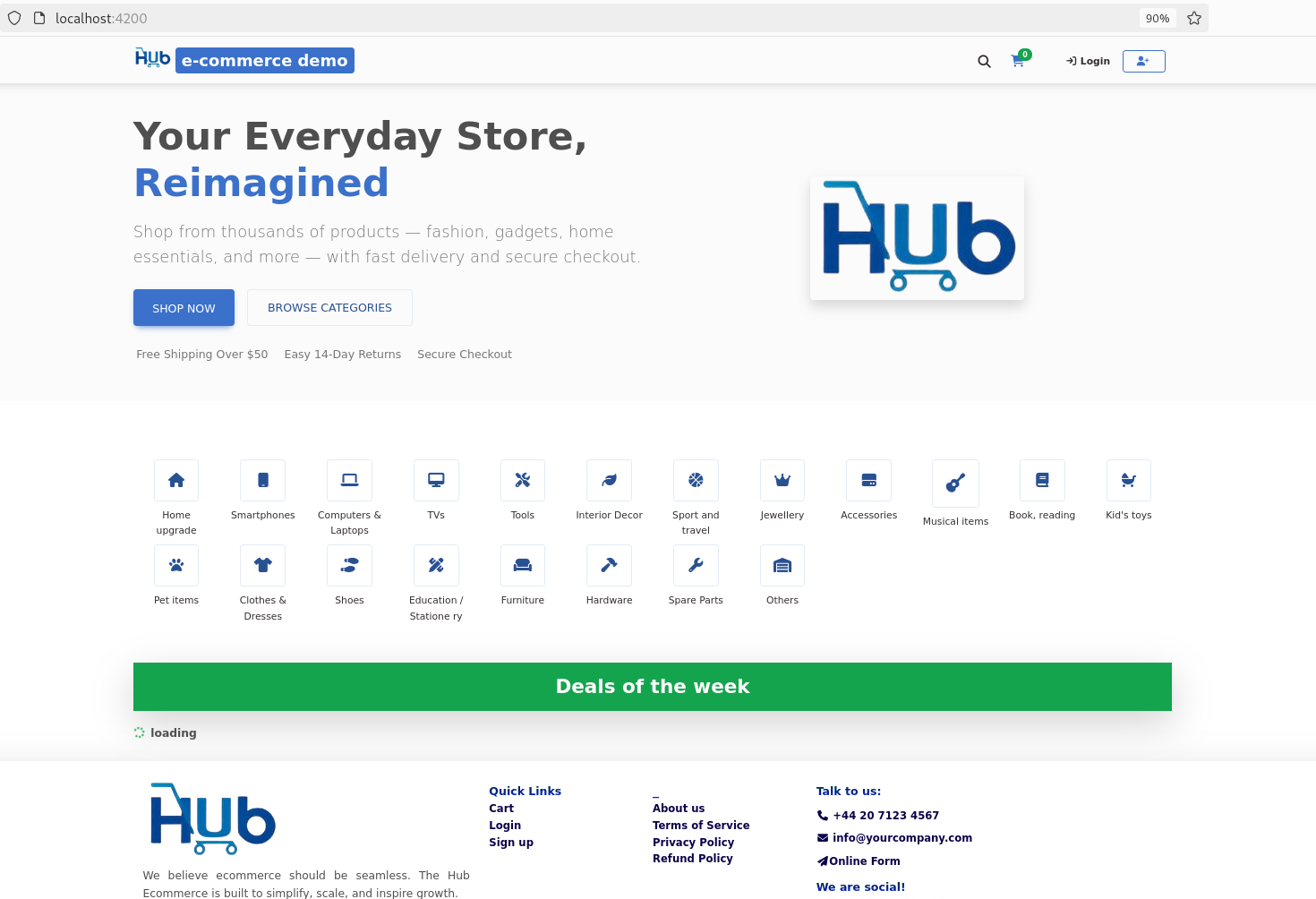
Once the packages (dependencies) have installed, enter the following command to spin up the applicationnpm startIn your favorite browser, navigate to the following URL: http://localhost:4200
Connect the Backend
Open GlobalService class (/home/user/hub/hub-ecommerce-frontend/src/app/services/global.service.ts)
Update the backend endpoint URL in line 8:
public static BASE_API_URL = 'http://localhost:8089';Save and Rebuild
If you're working locally, chances are that the app will reload automatically. If otherwise, such as running on a production server:
ng buildBranding & Customization
The Hub E-Commerce Platform is white-label, meaning you can easily apply your own branding, currency, and policies. Below is a guide to help you update the most common elements developers usually customize.
1. Currency Display
By default, prices are displayed in EUR (€). Update the Angular templates listed below
to change currency formatting:
| File Path | Line(s) | Description |
|---|---|---|
src/app/app-home/app-home.component.html |
291 | Product price badge |
src/app/modules/search/search-page/search-page.component.html |
94, 105 | Search results price display |
src/app/modules/product-info/product-info/product-info.component.html |
212 | Product info page price display |
src/app/components/cart-modal/cart-modal.component.html |
72, 43, 75, 53 | Cart modal price display |
src/app/modules/checkout/checkout-cart/checkout-cart.component.html |
155 | Checkout cart price display |
src/app/modules/categories-directory/category-grand-page/category-grand-page.component.html |
97 | Category grand page price display |
src/app/modules/categories-directory/category-page/category-page.component.html |
88 | Category page price display |
src/app/modules/categories-directory/category-parent-page/category-parent-page.component.html |
87 | Category parent page price display |
Example of changing currency from EUR to USD:
{{ product.price | currency:'USD':'symbol':'1.2-2' }}2. Terms of Service
Update your store’s policies directly in the Terms of Service component:
src/app/components/policies/terms-of-service/terms-of-service.component.htmlEdit line 12 to insert your own Terms of Service text.
3. Product Info Component
For logic changes related to product details, check:
src/app/modules/product-info/product-info/product-info.component.tsLine 118 handles customizable product logic.
4. Product Creation (Admin)
To customize product creation fields in the admin panel, edit:
src/app/admin/catalog/product/product-create/product-create.component.htmlLine 97 is where product form customization can be applied.
currency pipes (| currency) and
policy text in your project to ensure you catch all instances when rebranding.
Codebase Map
The following table provides a quick overview of where key pages, components, and services are located in the Hub E-Commerce Angular Frontend codebase. This helps developers quickly navigate and customize different parts of the application.
| Page / Component | Path | Notes |
|---|---|---|
| Root Branding & SEO | src/index.htmlsrc/favicon.ico |
Modify meta tags, title, and favicon for SEO and branding. |
| Navbar | src/app/navbar |
Main navigation bar. |
| Search Page | src/app/modules/search/search-page |
Dedicated search results page. |
| Search (from Navbar) | src/app/subnav.banner/subnav.banner.component.html |
Search bar triggered from the navbar banner. |
| Category Page | src/app/modules/categories-directory/category-index/category-index.component.html |
Displays product categories. |
| Product Details (Info) Page | src/app/modules/product-info/product-info |
Product description, pricing, and related information. |
| Page Not Found | src/app/page-not-found |
404 page when route does not exist. |
| Services | src/app/services |
Shared services (API, authentication, etc.). |
| Terms of Service & Policies | src/app/components/policies |
Legal pages like Terms of Service and Privacy Policy. |
| Sign Up | src/app/components/register |
User registration form. |
| Sign In | src/app/components/signin |
User login form. |
| Brand Page | src/app/modules/brands-directory/brand-page/brand-page.component.html |
Displays brand-specific product listings. |
Ctrl+P in VS Code) and jump directly to the desired
component or service.
Admin Dashboard
The Admin Dashboard is the control center for managing the
e-commerce platform. You can access it at:
http://localhost:4200/super
From the dashboard, administrators can:
- Manage products visible to customers
- Manage suppliers and inventory
- Track sales performance and profit calculations
Deploying the Hub Frontend
After completing your rebranding and customizations, you can proceed to deploy the frontend to a live server. Refer to the Deployment Guide for detailed steps and best practices.